
Budget management
Give approvers the budget context they need when reviewing a request.
- Organize budgets by project or department
- See committed and remaining funds
- Review spending before approval
Product features
Give your team a clear path from purchase request to approval, with budgets and supporting records in the same workflow.
Explore the workflows and practical support available to your organization.
Give approvers the budget context they need when reviewing a request.
Keep approvals and supporting documents connected to the purchase.
Approved POs sync to QuickBooks Online, invoices become bills, and paying the bill in QuickBooks marks the PO paid.
Set up a repeating PO once for rent, a retainer, maintenance or a subscription. One approval covers the whole series.
Explore recurring purchase ordersApproved invoices become AP bills in Sage Intacct, with dimensions and vendors kept in sync.
Explore sage intacct integrationExplore how your purchasing policy can inform the checks your team makes on each request.
Explore policy complianceExplore the monitoring service for keeping up with changes affecting grant-funded purchasing.
Explore compliance updatesSee how requests, approvals, suppliers, and invoices fit together. Bring your own workflow questions.
Explore live product demoBuilding Blocks series
Short videos showing how each part of the purchasing workflow works. Most run about a minute.
See budget context before approving purchases. Track committed spend and remaining funds.
Explore budget managementAuto vs manual routing, approval limits, and self-approval rules for your purchasing workflow.
Intelligent routing that adapts approval workflows based on purchase amount, department, or project.
From request to approval to PO record. Keep the main purchasing workflow connected.
Split spend across budgets, departments, or projects on a single purchase line.
Set up a repeating PO once. One approval covers the series and each occurrence appears as its own purchase order.
Explore recurring purchase ordersManage supplier lists, products, and portals. Set up purchasing before requests come in.
Capture invoices and match them to purchase orders. Keep finance and purchasing aligned.
Receiving and fulfillment against purchase orders. Track what arrived and when.
Buy in ProcurementExpress, keep the books in QuickBooks Online. Approved POs sync as purchase orders and invoices become bills.
Explore quickbooks onlineBuy in ProcurementExpress, keep the books in Xero. Approved POs sync as purchase orders and invoices become bills.
Buy in ProcurementExpress, keep the books in Sage Intacct. Approved invoices become AP bills and payment status comes back.
Explore sage intacctKeep purchase details, approvals, and supporting documents together for audit preparation.
Explore audit reportsGrant-specific compliance tracking. AI checks purchases against the right rules for each funding source.
Explore policy complianceInvite suppliers to quote, compare like for like, and award the winning bid as a purchase request.
Create and approve purchase requests on the go. Full mobile app for iOS and Android.
Process payables efficiently. Batch payment workflows for finance teams managing multiple vendors.
One login across every entity. Switch companies without signing out, with a separate setup for each.
Connect invoice processing and three-way matching. ProcurementExpress handles POs and approvals; Lightyear manages invoices and accounting sync.
Suppliers checked against SAM.gov exclusions as you buy, with a saved verification record.
Check vendors against SAM.gov exclusions by name or UEI and keep a timestamped evidence record for your auditor.
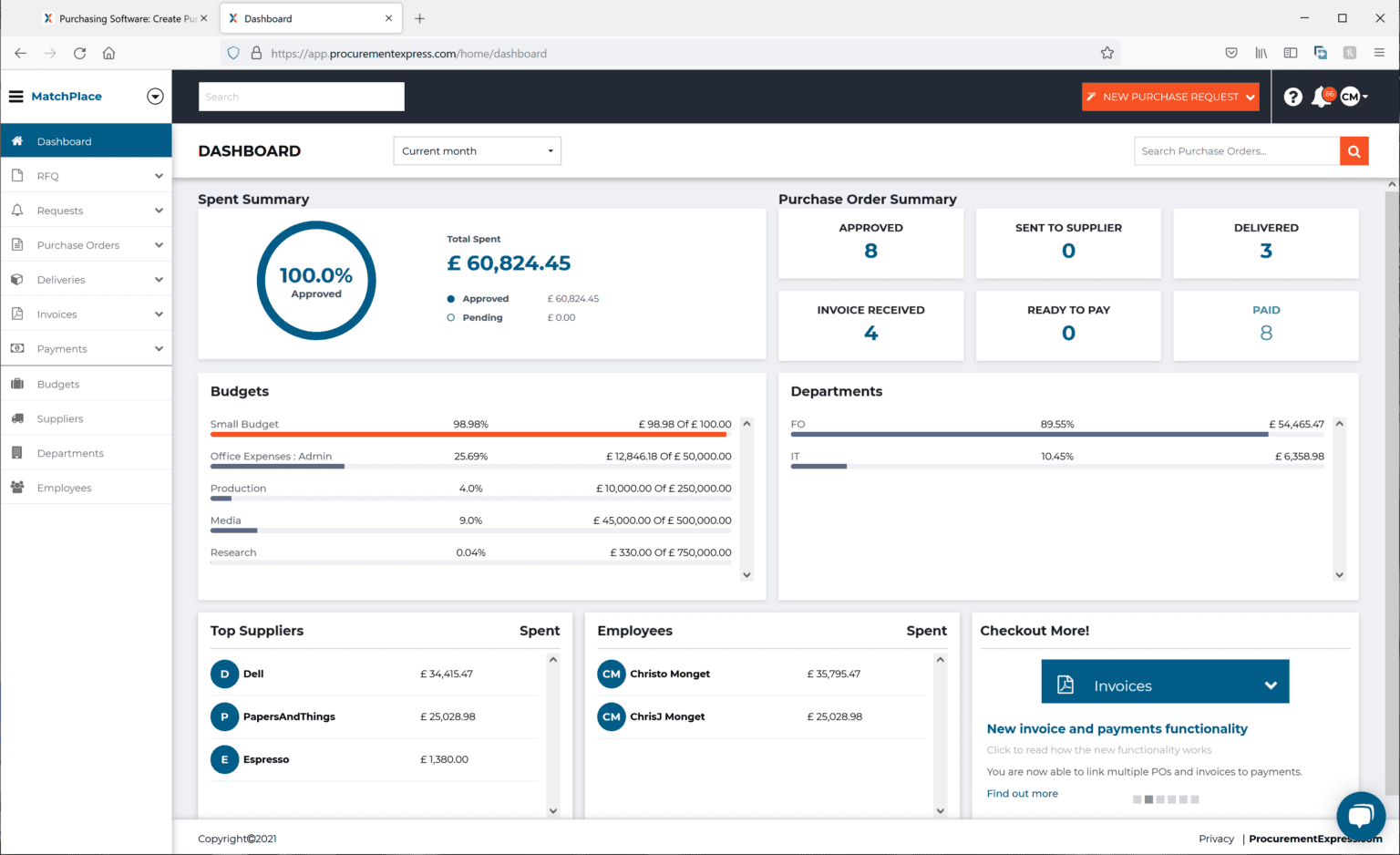
See spend, purchase order status, and budgets from the dashboard.
SEE IT WITH YOUR TEAM
Walk through your budgets, approvals, and reporting needs with us.